



DIY guideElectronics and smart home
Restart the modem and router in the right order
Unplug both, plug the modem in first and let its lights settle, then the router. It clears most dropped or slow connections.
- 5 to 15 min
- 7 steps
- Every step animated
7 steps
Tap a step to watch it again.
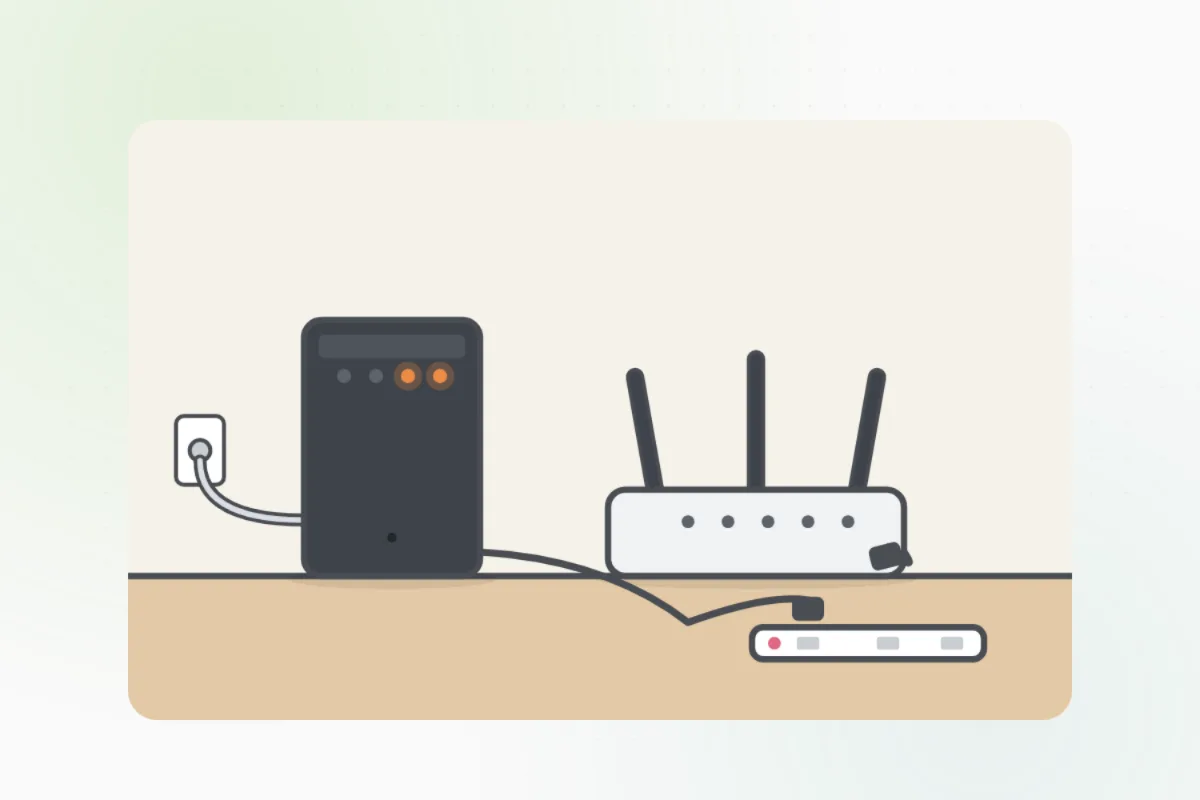
The modem brings the internet in on a cable or phone line; the router makes the Wi-Fi. Some homes have one box that does both.
Pull the power plug out of the back of each box. Don't press the small reset button: it wipes the settings.
Leave both unplugged for about a minute, so they reset fully.
Plug the modem back in and wait until its lights settle. It can take a few minutes.
Plug the router back in and wait for its lights to settle too.
Open a web page on a phone or computer. Still slow on one device? Restart that device too.
Lights red or dark, or still no internet after a restart: call your internet provider. The line into the house is theirs.
What you need
- A phone or computer to test with
Call a pro if
- A red or dark light stays that way after a restart
- No internet on any device
- The cable or line into the house is damaged

Handyman says: Still down? Call your internet provider.
Free for every home. Handyman asks a few questions, then books a pro it trusts.
More around the house guides
See all 70
Rather have
a pro do it?