



DIY guideElectronics and smart home
Clean a projector's filter and vents
Switch it off and let it cool, slide out the filter, vacuum it and the vents, and reset the filter timer: a clogged filter makes it overheat.
- 15 to 20 min
- 8 steps
- Every step animated
8 steps
Tap a step to watch it again.
Turn it off with its button, wait for the fan to stop, unplug it, and let it cool for about half an hour.
The lamp gets very hot: never touch it or open the lamp door.The filter sits behind a small cover by the air intake, on the side or underneath. The manual shows where.
Unclip the cover and slide the filter out.
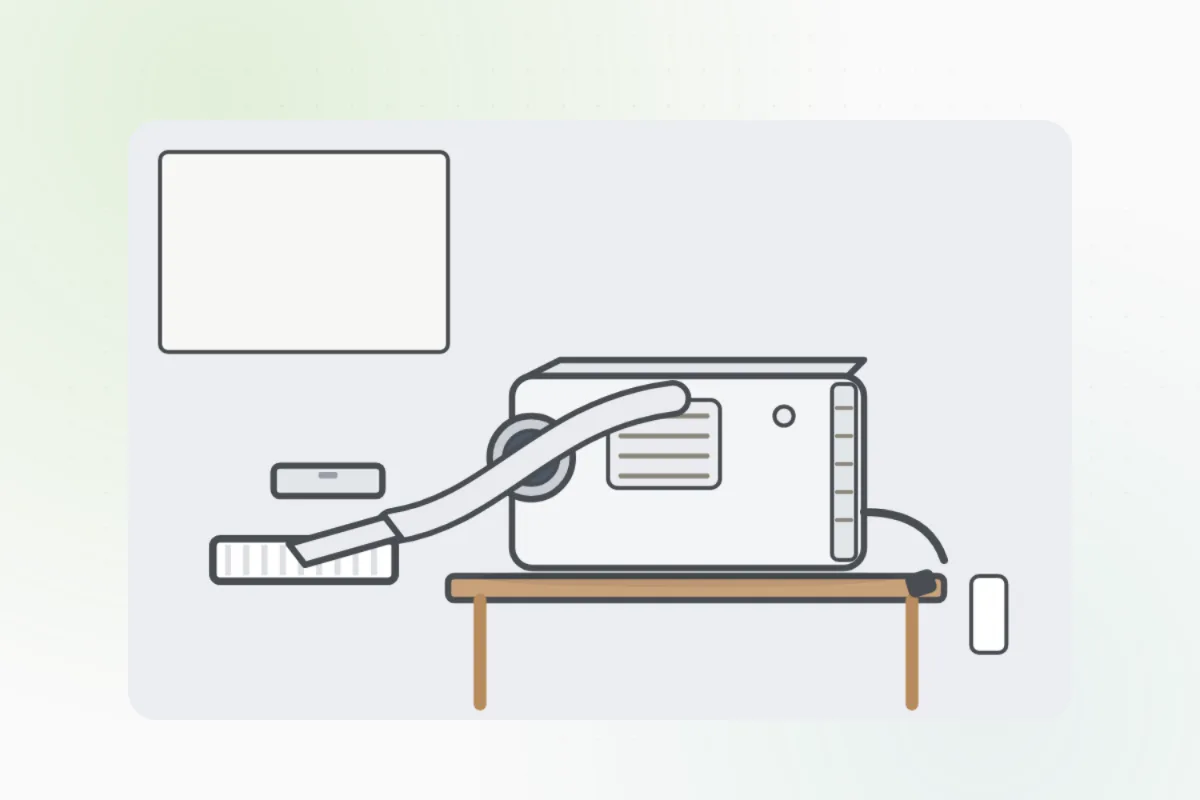
Vacuum both sides gently with a brush attachment. Don't wash it unless the manual says you can.
Vacuum the intake and exhaust vents from outside, without pushing the dust in.
Slide the filter back in the right way around and clip the cover shut. Many projectors won't start without it.
Turn it on and reset the filter or maintenance timer in its menu.
It still overheats or shuts off, smells burnt, or the filter is torn: switch it off and ask Handyman for an electronics repair pro.
What you need
- A vacuum with a brush attachment
- The projector's manual
Call a pro if
- It still overheats or shuts off
- A burnt smell
- The filter is torn or missing

Handyman says: Still overheats? I'll find a repair pro.
Free for every home. Handyman asks a few questions, then books a pro it trusts.
More around the house guides
See all 70
Rather have
a pro do it?