



DIY guideLawn sprinklers
Program the sprinkler controller and skip a cycle when it rains
Set the clock, the days, an early start and each zone's minutes, then use rain delay so it doesn't water in the rain: a dial controller, a smart one or a hose timer.
- 15 to 40 min
- 8 steps
- Every step animated
8 steps
Tap a step to watch it again.
Open the controller and change its backup battery, so it keeps its program through a power cut. A hose timer runs on its own batteries.
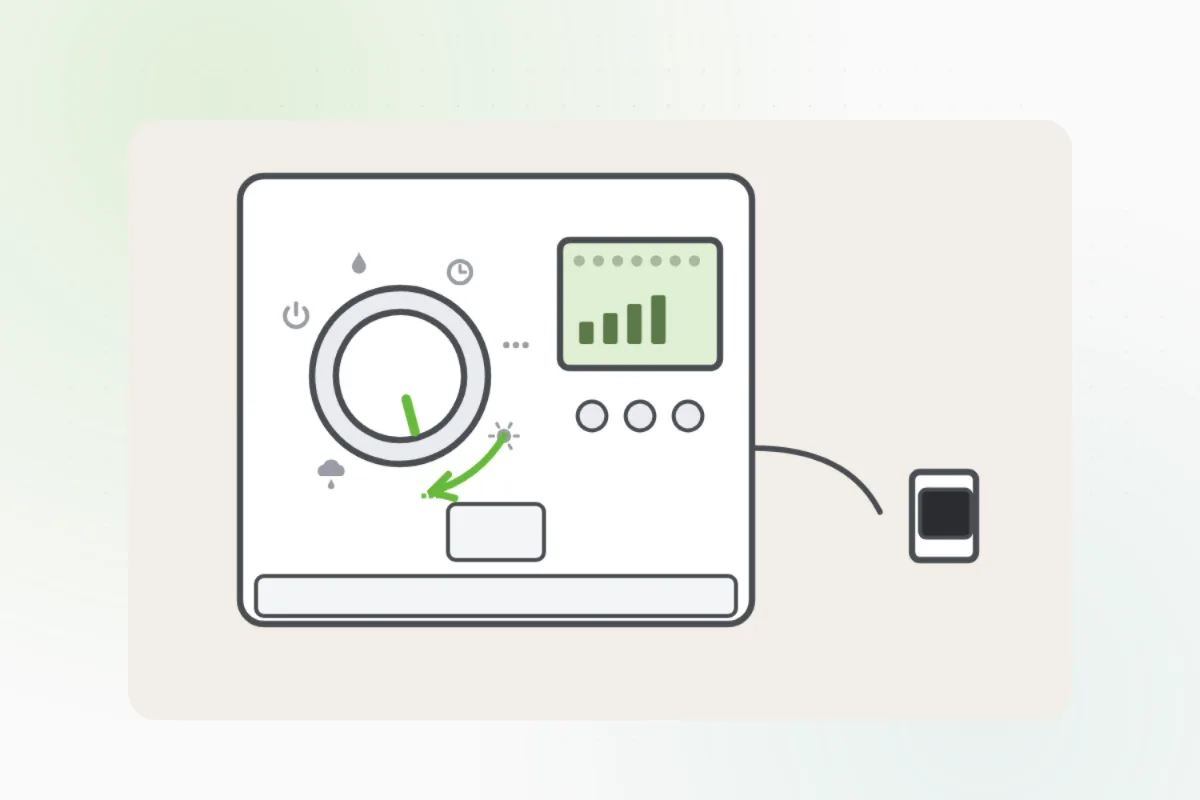
Turn the dial to the clock, or open the app, and set the time of day.
Choose the watering days: a few deep waterings a week beat a little every day.
Set the start for early morning, before the sun is high and the wind picks up.
Give each zone its run time: longer for sunny lawn, shorter for shade and garden beds.
After a good rain, press rain delay or skip, or let a smart controller skip it on the forecast.
Turn the dial back to run, or save in the app, and check the next start shows.
A controller that won't come on with its plug in, or a burnt smell: unplug it and ask Handyman for a sprinkler pro.
What you need
- A fresh backup battery for the controller
- The controller's app, for a smart one
Call a pro if
- The controller won't power on
- A zone won't run from the controller
- A burnt smell or a cracked case

Handyman says: Unplug it. I'll find a sprinkler pro.
Free for every home. Handyman asks a few questions, then books a pro it trusts.
More outside and the yard guides
See all 72
Rather have
a pro do it?