



DIY guideBuilding fire safety
Check the fire alarm panel for trouble signals (look only)
Read the panel's lights and screen without touching it, log what you see, and call the fire alarm company about anything but normal. Testing it is the fire alarm company's.
- 5 to 15 min
- 7 steps
- Every step animated
7 steps
Tap a step to watch it again.
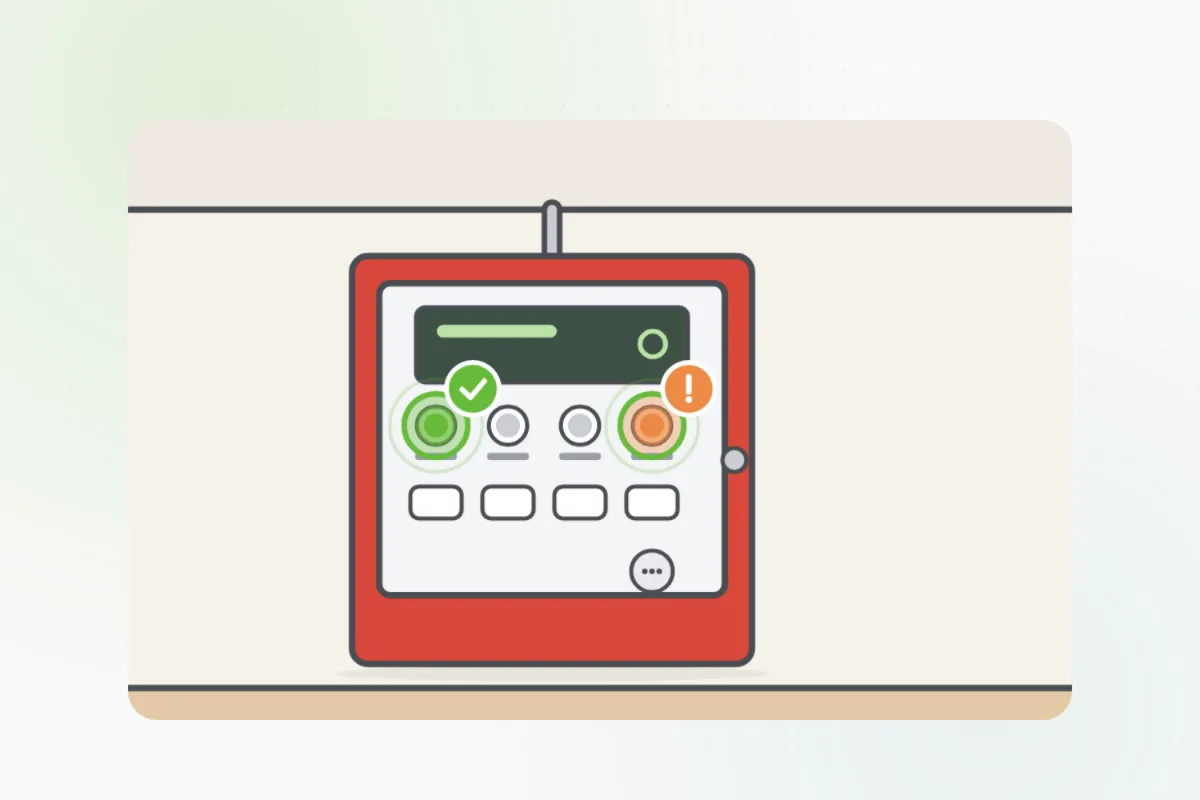
It's a red or gray box in the lobby, the electrical room or a fire control room. A smaller screen by the entrance may repeat it.
The green power light should be on by itself. An amber light means a trouble; a red one means an alarm.
If it has a screen, photograph what it shows. A trouble message names the problem and where it is.
A panel that beeps is reporting a trouble, even when every light looks normal.
Don't press its buttons, open its door or use its key: silencing and resetting it are the fire alarm company's.
If the alarm is sounding, get everyone out and call 911 first.Write the lights and the screen's message in the building's fire log, and send the photo to Handyman.
An amber light, a trouble message or a beep: call the fire alarm company now and tell the building manager.
A red light with the alarm sounding: get out and call 911.
What you need
- The building's fire log
- Your phone for a photo
- The fire alarm company's number
Call a pro if
- An amber trouble light or a trouble message
- The panel beeps
- The green power light is off
- Any alarm: get out and call 911 first

Handyman says: Trouble? Call the fire alarm company.
Free for every home. Handyman asks a few questions, then books a pro it trusts.
More power and safety guides
See all 43
Rather have
a pro do it?